Mavic Mini Camera Settings for Indian Creators: Make 2.7K Footage Work
The original Mavic Mini has a limited but useful camera. Plan exposure, frame rate, composition and editing around its verified 2.7K and JPEG...
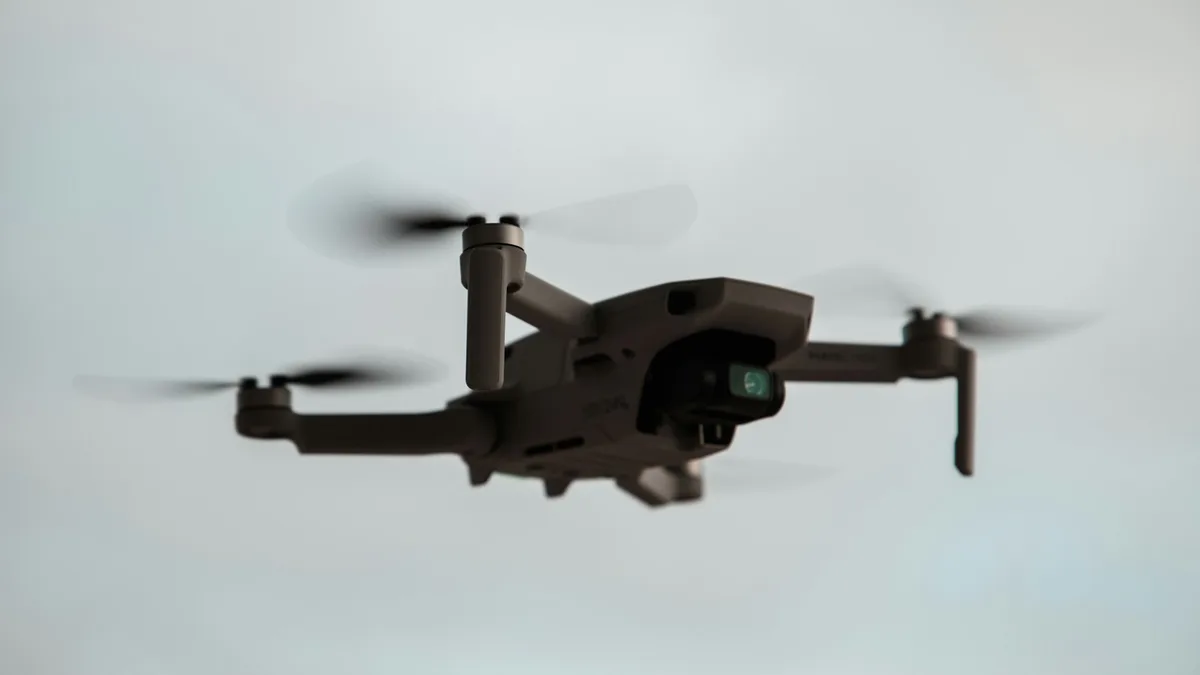
The original DJI Mavic Mini can still produce a useful aerial clip in India, but it rewards deliberate shooting more than newer models do. It records up to 2.7K video, uses a 1/2.3-inch sensor, captures JPEG stills and has a three-axis gimbal. It does not provide the Mini 2's 4K and DNG flexibility. A creator who exposes cleanly, keeps the camera move simple and finishes the file carefully can deliver a convincing social or property overview. A creator who expects to rescue a bright sky, heavily crop an image or grade an eight-bit file as if it were cinema RAW will meet the camera's limits quickly.
The key technical facts come from DJI's Mavic Mini specifications and user manual download. DJI lists a 12 MP 1/2.3-inch sensor, a fixed f/2.8 lens with roughly 24 mm equivalent view, 2.7K at 24/25/30 frames per second, Full HD up to 60 frames per second, 40 Mbps maximum video bitrate, JPEG stills and H.264 MP4 video. Read the current app and manual for your specific hardware version before a shoot. Camera technique cannot override legal airspace, so check DigitalSky and the site permission separately.
Decide the final format before takeoff
Begin with the client's actual output: a horizontal website hero, a vertical short, a property listing image or a long-form edit. The Mavic Mini's camera does not rotate into native vertical shooting. A vertical export made from its horizontal frame is a crop, and a deep crop discards much of the available 2.7K resolution. For a vertical deliverable, keep the subject near the centre with room above and below it. Test the crop on a sample clip before promising a detailed 9:16 view of a distant building. If fine vertical detail is central to the job, a newer camera with native vertical capture may be the better tool.
At 2.7K the aircraft supports normal cinematic frame rates. Full HD at 50 or 60 frames per second can be useful for modest slow motion, but it carries less detail. Match the project timeline and regional lighting conditions rather than changing frame rate for every take. Under mains-powered artificial lights, 25 or 50 fps with an appropriate shutter may reduce flicker, but verify on the actual site because LED drivers vary. For a straightforward daylight property clip, a consistent frame rate and good exposure matter more than chasing a nominally higher number.
Keep highlights under control
Indian midday sun can make a white roof, pale wall or water reflection much brighter than the surrounding trees. With a small sensor and compressed video, clipped highlights cannot be restored in editing. Look at the bright parts of the frame, set exposure to preserve important detail, and accept that shadows may be darker than an automatically brightened preview suggests. If the app provides a histogram or overexposure warning for the current firmware, learn to read it; otherwise make short test clips and review them on a larger screen. The DJI exposure troubleshooting guide explains how incorrect manual exposure can lead to over- or underexposed results.
Use a low ISO when light permits. Higher ISO brightens the image but brings noise and reduces the amount of clean detail available for grading. Because the aperture is fixed, daylight exposure control depends on shutter speed, ISO and potentially an appropriate neutral-density filter. A filter can help hold a chosen shutter in bright sun, but it adds weight to the aircraft's all-up configuration and must be attached securely. Do not use a motion-blur convention as a rigid rule when it forces a poor or unsafe setup. First make an evenly exposed, stable clip; refine motion rendering only after the basics work.
White balance and mixed light
Automatic white balance can shift between warm and cool as the drone turns from a sunlit facade toward shade. Such changes are distracting in a single continuous shot and time-consuming to fix in a compressed file. When the app allows it, set a stable white balance suited to the scene and test it before a long move. Golden-hour light may look beautiful while the sky remains bright and the ground dark; preserve the colour relationship you want rather than neutralising every frame. If a building has warm interior lights and cool evening sky, make a sample shot, inspect skin or wall colour and settle on a deliberate compromise.
Avoid changing exposure and white balance mid-move unless the transition is part of the planned shot. A short clip of one clear action is easier to edit than a long clip with several abrupt automated adjustments. For a property sequence, capture a wide establishing frame, a slow approach and one detail view as separate takes. Keep a few seconds of steady footage at the start and end of each take. This makes cutting possible without forcing the editor to use the most unstable part of a manoeuvre.
Composition can replace missing resolution
The Mavic Mini has no optical zoom, and DJI says its camera has no zoom function. Rather than promising a close aerial view from far away, place the aircraft at a safe, lawful position that frames the subject well. Use leading lines, a clean horizon and a simple foreground. Avoid a tiny subject against a vast, hazy skyline; compression and the sensor's limited detail will make the subject weaker. Early morning and late afternoon often give more dimensional light, but site access, visibility and airspace still govern when and where the aircraft can fly.
A slow, straight move is usually more usable than an aggressive orbit. With the original Mini's enhanced Wi-Fi link and downward-only sensing, keep the route short, visually clear and free of obstacles. Do not let the camera screen lure the pilot into flying backward near wires or buildings. A ground observer can help watch the real aircraft, people and obstacles. If wind causes visible corrections or a gimbal tremor, land or choose a simpler angle. Stabilisation in editing can crop away more of the limited image, so prevent shake at capture where possible.
JPEG stills need a different approach
DJI lists JPEG photo capture for the original Mavic Mini, not DNG RAW. That means exposure and colour decisions at capture are more final. Take a test still, inspect highlights and shadows, and adjust before a client image. Use the 4:3 still format when the final crop is uncertain because it keeps more of the sensor's vertical area than a 16:9 crop. Keep ISO low when possible and choose an angle with a clear subject. Multiple carefully varied frames are useful; indiscriminate bursts of nearly identical JPEGs are not a substitute for a planned composition.
For a listing or social image, finish with restrained edits: correct the horizon, crop, moderate contrast, keep building lines credible and export at the platform's required size. Avoid extreme sharpening or saturation that exposes JPEG artefacts. If the property requires detailed colour correction, measurement or an especially large print, tell the client about the camera's limits before flying. A responsible crew may choose a larger sensor or a ground camera rather than stretching a small JPEG beyond its intended use.
Edit for the camera you actually used
Copy original files from the card, keep a backup and confirm the clip specifications before building the timeline. Work in a project that matches the delivery format, not automatically the maximum resolution. For a 1080p output, 2.7K can give modest reframing room; use it sparingly. For a vertical output, review the crop at phone size. Apply small corrections to exposure, white balance and contrast, then compare the export with the original. Heavy noise reduction, sharpening and repeated exports can make a 40 Mbps H.264 file look brittle.
The Mavic Mini is best treated as a light, simple camera that makes good views possible when the pilot plans carefully. Its strongest settings are not one secret preset. They are a consistent frame rate, protected highlights, low ISO, stable white balance, short controlled moves and an edit that respects 2.7K and JPEG limits. Use those choices to produce an honest, clean Indian aerial story rather than forcing the files to imitate a different aircraft.
Contact SkyViews Aerial Drone Studio at +91 90190 56479 or skyviewsdronestudio@gmail.com. Service area: Bangalore, Karnataka and India and wider Bangalore, Karnataka and India.