Buying a Used DJI Mini 2 in India: A Field Inspection Checklist
How to inspect a second-hand Mini 2 in India: identify the exact aircraft, test its batteries, camera and controller, check records, and...
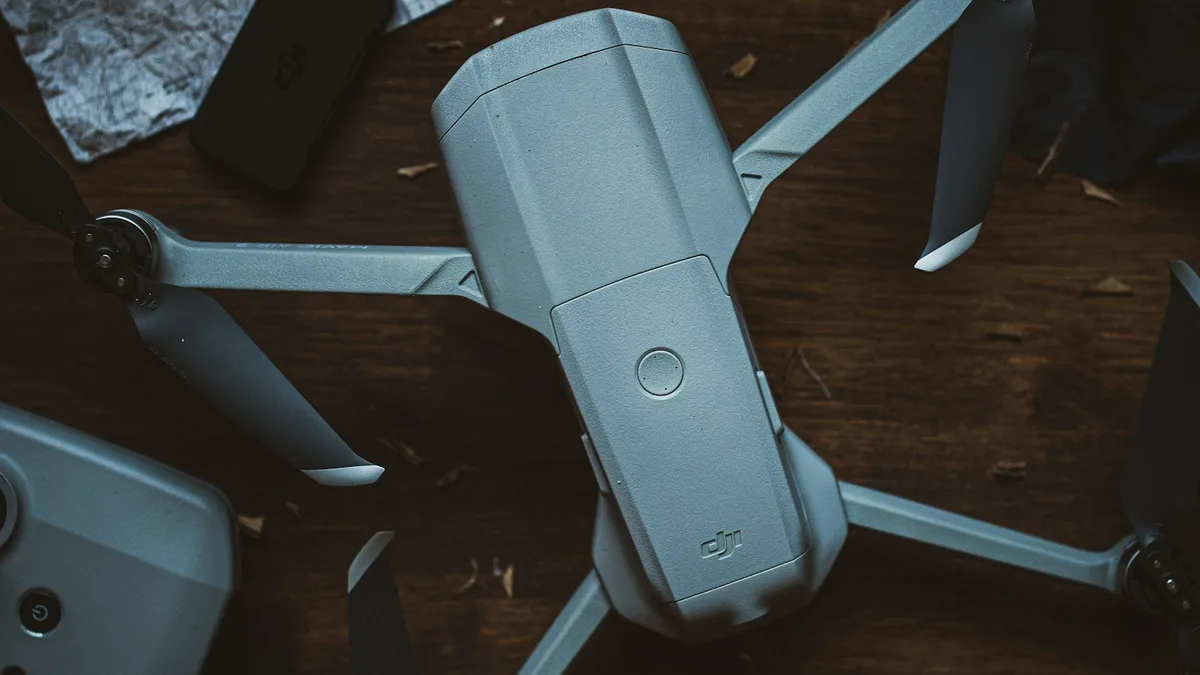
A used DJI Mini 2 can be a sensible daylight camera for a small aerial brief. It can also be an expensive collection of tired batteries, damaged propeller mounts and missing parts. The model name alone tells a buyer very little about the condition of the unit on a seller's table. This guide is therefore an inspection procedure: request evidence in advance, test the complete system in person, review the files it records, and keep a written record of the transaction. If the seller cannot support a safe demonstration, postpone the purchase.
DJI lists the Mini 2 as a sub-249 g aircraft with a 1/2.3-inch camera, 4K video at up to 30 frames per second, DNG raw photographs and OcuSync 2.0 transmission. Its advertised 31-minute maximum is measured under controlled, windless conditions. Those specifications explain why a healthy unit still attracts buyers; they do not promise the same endurance, radio behaviour or picture quality from a particular second-hand aircraft. Read the DJI Mini 2 specifications and the current Mini 2 user manual in DJI's download centre before inspecting one. The manual gives you a reference for indicator lights, return-to-home behaviour, operating temperatures and safe charging.
Ask for a complete inventory before meeting
Request clear photographs of the unfolded aircraft, camera and gimbal, each battery, remote controller, charging hub, propellers, charger or cable, storage case and serial-number labels. Ask how many batteries are included and whether they are original, replacements or of unknown origin. A “Fly More Combo” listing is only a seller's description until every item is identified. Record the exact controller model and the phone cable supplied; a missing cable can make a field test impossible even if the aircraft powers up.
Ask for the purchase record, date of acquisition, any service or crash history, and the reason for selling. A purchase invoice can help establish a chain of possession, but it is not a guarantee of lawful import, an active warranty or permission to operate. The DGFT import-policy notification of February 2022 addresses import restrictions and exceptions for complete drones; it is a different question from whether this aircraft works or whether today's flight is permitted. Check the current policy and seek qualified advice if provenance is material to your purchase. Do not accept “everyone sells them here” as evidence.
Arrange a daylight meeting where the aircraft can be powered on and, only if the location and conditions permit, flown briefly. Meet with enough time to test each battery rather than judging the kit from a single demonstration pack. Bring a compatible phone with the current DJI Fly app, a suitable microSD card, a card reader and a notebook. If you do not know the Mini 2's controls, bring an experienced pilot. Do not make a first-ever drone flight into a purchase inspection.
Inspect the airframe before applying power
Start with the shell and arms. Compare gaps on both sides, look for stress whitening, cracks, repaired plastic, loose hinges, nonstandard screws and signs of water or corrosion around openings. Check that each arm opens fully without excessive play. Inspect motor bells for dents, grit, uneven rotation and unusual resistance by gently turning them with power off. A smooth motor is encouraging, but a hidden winding or bearing problem may only appear under power.
Look closely at the propellers. Nicks, curls, mismatched blades or loose mounting screws are reasons to replace parts before flight, not bargaining points to ignore. DJI's Mini 2 download centre includes a propeller guide; confirm the correct part and installation method there rather than fitting an apparently similar blade. Inspect landing feet and the underside for hard-landing marks. Check the battery bay and contacts for bent pins, discolouration or debris. Do not insert a pack that looks swollen, crushed, punctured or wet.
Remove the gimbal protector and let the camera hang freely. Its movement should be unobstructed. Inspect the lens for scratches, haze and fungus, and the gimbal body for distortion or improvised glue repairs. A drone can hover acceptably while producing crooked horizons or unusable footage. Keep the cover for transport; an uncovered gimbal bouncing in a bag is an avoidable risk.
Treat every battery as a separate purchase decision
The international Mini 2 intelligent flight battery is listed by DJI at 2250 mAh and 17.32 Wh, with a stated charging-temperature range of 5–40°C. Check the exact pack label and DJI's battery specifications; regional variants and replacement packs should not be identified by appearance alone. Read any battery health, cycle or warning data the app offers, but do not turn a single number into a guarantee. Age, storage conditions and cell behaviour under load also matter.
Ask the seller to charge the packs under supervision in a suitable cool, dry location. Note whether charging starts normally, whether contacts or casing heat abnormally, and whether the battery seats and releases securely. A pack that has sat empty for months may refuse to charge or show unstable remaining capacity. Do not repeatedly force it, and do not use a swollen pack for a test flight. DJI documents an auto-discharge function for this battery family; a pack found below full charge after storage is not automatically faulty. Equally, auto-discharge does not prove that a neglected battery is healthy. See DJI's auto-discharge explanation.
For each pack, record the label, serial number if visible, indicated charge, any app warning and the result of a short, gentle test. A ten-minute flight is more informative than a seller's claim that it “still gives thirty minutes,” but even a successful short flight cannot measure full remaining capacity. Price the kit as though suspect batteries require replacement. Confirm the genuine replacement model and availability before treating a cheap kit as a bargain. The battery has value only if you can obtain, charge, carry and use it safely.
Power on, connect and review warnings
With propellers clear of people and objects, power up the aircraft and controller according to the manual. Connect your own phone to the DJI Fly app. Confirm that the app recognises the aircraft as Mini 2, displays a live camera view, reads the battery and presents the expected settings. Check whether the seller can demonstrate that the device is clear of any account or service binding relevant to transfer. DJI account behaviour can differ by model and firmware, so use the current in-app guidance and DJI support rather than relying on a generic instruction for another Mini model. Do not pay for a unit whose basic activation and operation cannot be demonstrated on your setup.
Read every warning before clearing it. Compass, IMU, gimbal, ESC, battery and firmware messages have different consequences; photograph the message and consult the manual or DJI support if uncertain. Record the installed firmware versions, but do not begin a field update with a weak phone connection or low battery. Check gimbal movement through its normal range, controller stick response on screen, camera mode changes, the microSD card status and the return-to-home settings. A clean live view alone does not prove that footage is being saved correctly.
Fly only after checking the site
The Drone Rules, 2021 define nano by maximum all-up weight including payload, and require the operator to check the official airspace map before flight. A sub-249 g product label does not authorise flight anywhere in India. Check the DigitalSky airspace map for the specific location and time, then account for nearby people, cables, roads, buildings, weather and any landowner restrictions. DJI's own app may show a different geofence; it is not a substitute for the Indian airspace check. If the location is unsuitable, conduct the ground checks and arrange a safe lawful flight elsewhere.
In a permitted open area, start with a brief low hover. Listen for an uneven motor sound, watch for drift or abnormal vibration, and observe whether the gimbal stays level. Fly a short out-and-back path with generous battery margin. Keep the aircraft close enough to observe and avoid testing a manufacturer's maximum range. Try a controlled ascent, descent and slow yaw; note any warning, link interruption or unexpected response. Confirm the configured return-to-home altitude is appropriate for the site, but do not deliberately create a lost-link event merely to prove the feature. Land early, let the pack cool and repeat with each usable battery. If the machine behaves oddly, stop the test.
Open the files, not just the preview
Record a 4K clip with motion and detail, then take a JPEG and a DNG still if those formats are part of your intended workflow. Copy the originals from the microSD card to your own device. Check that the files open, retain metadata and have stable exposure, focus and horizon. Look for repeated hot pixels, heavy noise, gimbal twitch, rolling-shutter distortion exaggerated by vibration and corrupted frames. Review footage on a larger screen if the purchase will support paid client work; the phone preview can hide problems. A satisfactory image at noon says less about dusk performance, so do not promise low-light results from this small sensor.
Ask the seller to show sample files from earlier flights and any repair report, but treat them as supporting evidence rather than proof that today's airframe made them. Your own test files, their timestamp and the observed serial number form a stronger record. If the seller refuses any original file export or will only show social-media clips, the camera's condition remains unverified. Similarly, an attractive body shell does not cancel recurring app warnings.
Document the handover and the real cost
Before payment, write down the aircraft and controller serial numbers, each battery identifier, included accessories, demonstrated functions, disclosed faults, seller and buyer details, agreed price and date. Keep the invoice or a signed sale note and a record of the payment. Ask the seller to remove the aircraft from accounts or services that would obstruct your use, where applicable, and confirm you can activate the full workflow before leaving. If there is a warranty claim, ask for terms in writing and verify them with the named provider; do not assume DJI global cover follows a private sale in India.
Compare total working cost, not the advertised asking price. Add a realistic allowance for replacement batteries, new propellers, a missing controller cable, transport, storage media and a service assessment if any fault appeared. Compare that number with another inspected Mini 2 or a newer model that better fits the output. A Mini 2 is valuable for 4K daylight video and raw stills; it is not an obstacle-sensing aircraft and should not be bought as a substitute for one. DJI's own support FAQ explicitly says the model lacks obstacle avoidance. Plan a pilot and site workflow accordingly.
Walk-away conditions
Leave the deal if the seller will not let you inspect serial numbers, demonstrate the aircraft with a usable battery, export original files, or explain obvious damage and warnings. Walk away from swelling, visible corrosion, erratic motor behaviour, a gimbal that cannot level, repeated battery errors or an account problem that prevents normal use. A lower price does not make a flight-critical fault acceptable. Where a short test is impossible because the site is restricted, agree on a later test at a lawful location or price the aircraft as unverified; do not improvise a flight in a prohibited area.
The strongest used Mini 2 purchase is the one that survives a documented inspection and fits a defined job. Keep the seller's claims separate from what you personally observed. Use the manufacturer's manual for the technical checks, official Indian sources for airspace and import questions, and your own original files for the camera decision. That process takes longer than a quick marketplace payment, but it is the practical way to buy a working tool rather than a model name.
Plan your project
Share your site, dates and intended output so we can confirm a suitable scope.
Explore managed drone services · Compare project scope · Get in touch
Related reading
- DJI Mavic Mini vs Mini 2 in India: Which Used Drone Is Worth Buying?
- DJI Mavic Mini in India in 2026: A Practical Buyer and Flight Guide
- DJI Mini 2 SE vs Mini 4K in India: Choose for the Finished Video
Contact SkyViews Aerial Drone Studio at +91 90190 56479 or skyviewsdronestudio@gmail.com. Service area: Bangalore, Karnataka and India and wider Bangalore, Karnataka and India.