Cinematic FPV Drone Filming for Real Estate & Ads
A practical guide to planning FPV property tours and advertising shots: route design, crew roles, safe access, approvals and edit deliverables.
By SkyViews Aerial Drone Studio · Published
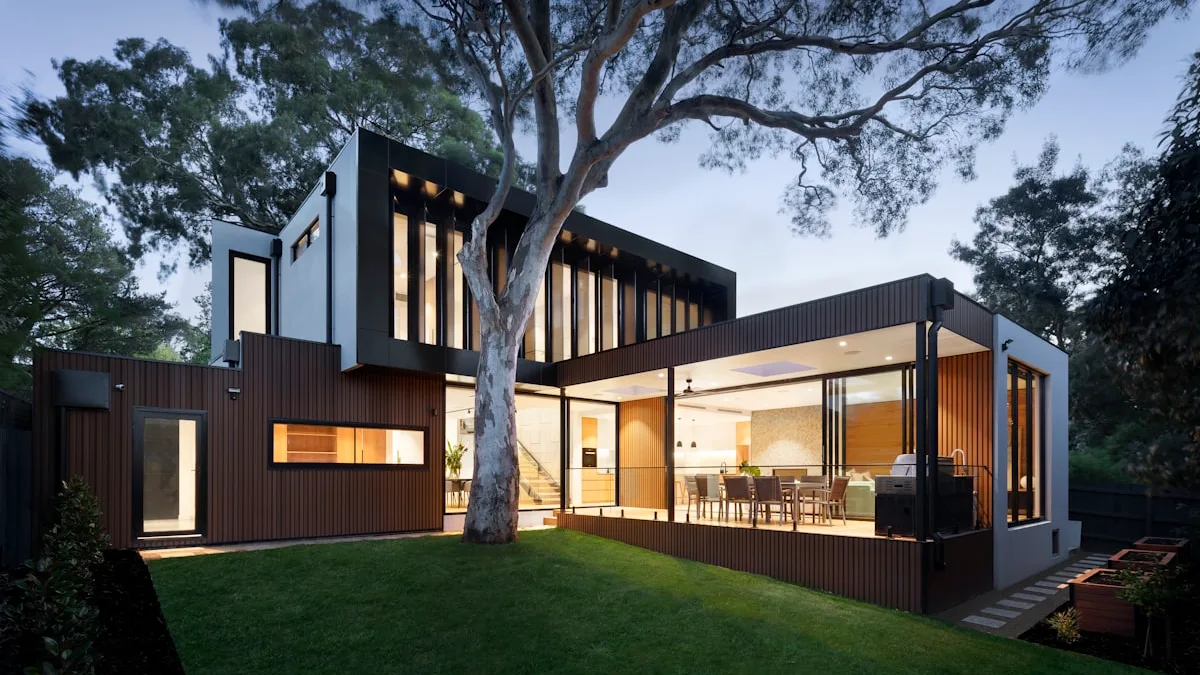
First-person view (FPV) filming can follow a planned route through a property or around a product. It gives viewers a sense of moving through the space. The best result starts with a clear story and a route the crew can fly safely. A long continuous shot is only useful if it helps a viewer understand the subject.
For a villa tour, the story might start at the entrance, move through two rooms and end at an outdoor feature. For an advertisement, it might reveal a product or follow controlled action on a closed site. The route, people, access, equipment and deliverables need to be agreed before filming.
---
What Makes FPV Cinematography Unique?
An FPV pilot uses a live camera view, often through goggles, to guide a small aircraft. A suitable platform can make turns and transitions that create a sense of movement. Different aircraft have different control and stabilization features; the crew selects one for the space and task.
- Purposeful movement: A turn, rise or reveal can connect spaces when the route is clear to the viewer.
- Indoor options: Some compact aircraft have ducted or guarded propellers. Guards reduce some contact risks; they do not make flying close to people or fragile objects safe by default.
- Continuous sequences: A single take is possible on some routes. Changes between outdoor and indoor areas need a separate feasibility and safety check.
---
Primary Commercial Applications
A. Luxury Real Estate & Villa Fly-Throughs
An FPV route can connect an entrance, room, courtyard and outdoor space. Ground photographs remain useful for showing detail and accurate room proportions. Use the moving shot as one part of a property presentation.
B. Resort & Hospitality Commercials
Show how a guest moves from arrival to reception and shared areas. Protect guest privacy, keep service areas clear and ask the property team to approve every space shown.
C. Automobile & Action Tracking
Vehicle filming needs a controlled location, a route plan, clear crew communication and safe separation from the vehicle and other people. A public road is not an assumed filming area. Speed and distance are set by the approved plan, not by an advertising claim.
D. Industrial Facility & Infrastructure Reveals
An FPV move can connect an industrial entrance, yard and selected production spaces. The site must identify restricted areas, active machinery, electrical hazards and any confidential process before a route is approved.
---
Technical Gear & Post-Production Workflow
Enterprise FPV filming requires specialized custom hardware and advanced post-stabilization:
- Cinematic Cameras: Select a camera platform suited to the aircraft, lighting conditions, movement and delivery requirements; compact action cameras and cinema cameras may be used where appropriate.
- Compact guarded platforms: Size and propeller guards may help on a cleared indoor route, but the crew still needs space, protection for property and a plan for people entering the area.
- Post-production stabilization: Supported camera and motion data can help smooth a shot. The editor should check cropping and image quality before promising a particular look.
- Color Grading & Sound Design: Log footage is colour graded to create a consistent look across camera sources, then paired with designed sound for wind, engines and room acoustics.
---
Safety & Operational Discipline
The crew should scout the route, assign a person to watch the area, agree signals for stopping and clear the path before each take. The flight plan must also account for site and airspace requirements where relevant.
Write a route that a viewer can follow
Start with one sentence describing what the shot should reveal. Then mark a beginning, middle and end on a floor plan or simple sketch. A property route could begin outside the gate, pass through an empty hall and finish at a courtyard. The point is to help the viewer understand the layout. A route with five sharp turns through similar corridors may be harder to follow than a shorter shot with one clear destination.
Walk the route before discussing flight. Measure narrow doorways, note fans, hanging lights, glass, cables, mirrors, water and loose decorations. Confirm which doors can stay open and where the aircraft can stop if the take is interrupted. If the route passes guests, staff or performers, schedule a controlled window or redesign it. The creative idea should change when the space cannot be cleared safely.
Choose between one take and a planned edit
A one-take shot has appeal because the viewer can see an uninterrupted path. It also gives the crew fewer chances to hide a bad turn, changing light or a person entering frame. A planned edit can combine two or three shorter flights and ground camera views. This may explain the space better and reduce the need to fly through a risky opening. Decide which approach serves the audience before setting a shoot schedule.
Ask whether the client needs a widescreen website film, a vertical reel, a short advertisement or still frames. A long horizontal flight may crop poorly for a vertical edit. The team can frame with extra space, fly a separate vertical route or select different scenes. Put the expected length, captions, music rights and revision rounds in the brief. If the shot must match ground footage, share a visual reference and the required colour treatment with the editor.
Rehearse in stages
On site, make a safety walk before any flight. The crew can then rehearse the route without people in the filming area. Test the hardest turn and the exit separately. Review the camera view for hidden obstacles, not just the floor plan. Confirm where the pilot, observer, client contact and any talent will stand. Use a clear stop word that everyone understands. The production lead should be able to halt a take without argument if access or conditions change.
Do not rely on a propeller guard as a substitute for separation. Guards can still strike a person or damage a delicate surface. A small aircraft can also lose position or land unexpectedly. Remove loose objects, protect valuable finishes and keep an agreed buffer. If a safe route cannot be made, choose a handheld or gimbal camera for that section. The finished film can still carry the same visual story.
Control the claim made by the finished video
Real-estate footage should show the property as it is. A fast flight can make a room feel larger or hide details that matter to a buyer. Pair an FPV tour with clear stills, floor plans and accurate text. Mark proposed amenities rather than filming a rendering as if it were complete. For a resort, show only spaces and experiences the property can offer. For a product advertisement, the client should approve performance and safety claims separately from the edit.
Keep source clips and approved edits clearly named. A delivery folder might contain a widescreen master, a vertical cut, a version without titles and selected source files if agreed. Test the final videos on a phone and a desktop display. Check that captions stay readable and that fast movement does not make the viewer lose the subject. The video deliverables guide gives a file handover checklist.
Example property brief
Imagine a villa with a wide entrance, two connected living areas and a courtyard. The client wants a 30-second web film and a shorter vertical clip. The route starts at the entrance and ends at the courtyard; it does not enter bedrooms or pass close to furniture. The owner clears the rooms, approves the spaces and provides a quiet filming window. The crew scouts the doors and lighting, tries a short test route and records alternate ground views in case the continuous flight does not work.
The editor then assembles one clear tour, checks that the property order makes sense and sends a review copy. The client approves the captions and final file names. This is an illustrative plan, not a claim that a particular villa was filmed. It shows how an FPV idea becomes a realistic production brief. Ask SkyViews about FPV filming with the location, route sketch, audience and required exports.
Plan your project
Share your site, dates and intended output so we can confirm a suitable scope.
FPV & Indoor Cinematics · Compare project scope · Get in touch
Related reading
- Indoor FPV Drone Filming in Bangalore: Production and Safety Guide
- 360° Aerial Virtual Tours for Real Estate & Hospitality in Bangalore
- Drone vs Helicopter Aerial Filming in India: Production Comparison
- Construction Drone Progress Monitoring in Bangalore: A Practical Guide
- Drone Permissions in Bangalore: Airspace, Safety & Booking Guide
- Real Estate Drone Marketing in Bangalore: Photos, Video & Buyer Context
Contact SkyViews Aerial Drone Studio at +91 90190 56479 or skyviewsdronestudio@gmail.com. Service area: Bangalore, Karnataka and India and wider Bangalore, Karnataka and India.