Drone Video Deliverables Explained
Understand common drone-photo and video deliverables before booking: resolution, aspect ratio, codecs, raw media, log footage, stills and...
By SkyViews Aerial Drone Studio
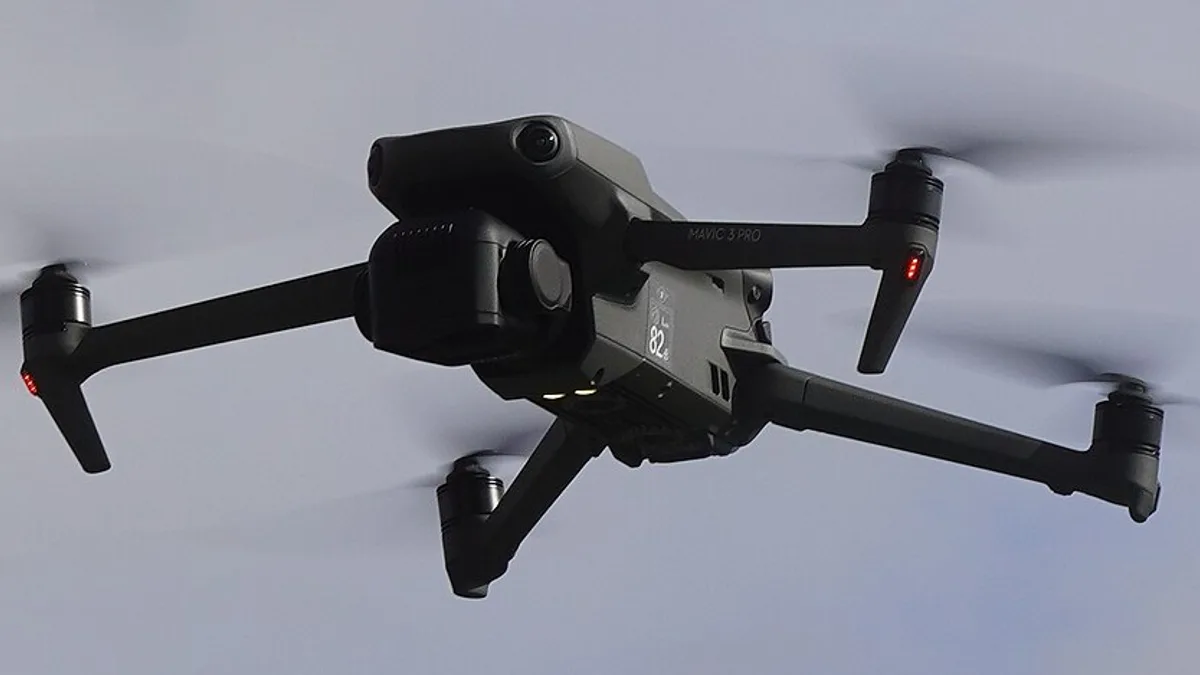
Many delivery problems begin before the flight because “high quality video” is not a complete specification. This guide explains the main choices so property, construction, hospitality and corporate clients can request files that fit their actual publishing workflow.
Resolution is only one decision
4K, 6K or 8K describes image dimensions, not the finished look, colour, motion or file size. State the intended platform, crop, frame rate, quality target and delivery deadline. A social reel and a cinema-style brand film may need different capture and edit choices.
Widescreen and vertical framing
16:9 is common for websites, YouTube and presentations. 9:16 suits Reels, Shorts and Stories. Square or 4:5 may be useful for some feeds. If one flight must support several formats, the shot list should leave safe crop space instead of assuming every widescreen composition can become a good vertical video.
Edited, selected and raw files
An edited film is a finished story. Selected stills are curated photographs. Raw or log footage is source material that may need colour work, stabilisation, editing and storage. List each separately in the quote, including whether project files, audio, captions, music licences and alternate exports are included.
File and handover questions
Confirm file naming, export codec, resolution, frame rate, aspect ratio, subtitles, music, review rounds, download method, archive period and who approves the final version. For mapping, use the separate GIS/CAD/BIM data handoff guide.
Match the deliverable to the use
Property portals may need compressed images and short clips. A brand team may need a master film and vertical cutdowns. A construction team may need timestamped stills, annotated comparisons and a report. A survey team may need coordinate-aware exports rather than a cinematic edit.
A practical delivery manifest
List filename, version, duration or image dimensions, aspect ratio, codec or format, colour treatment and intended use. Distinguish a viewing copy from a master intended for editing. A file labelled “4K” alone does not explain whether it has been graded, cropped, stabilised or licensed for the client's campaign.
Ask the editor to test one representative export in the receiving team's workflow. Retain the approved manifest with the files. Use package scoping to agree raw material, finished edits and platform versions separately.
Start with where the file will be seen
A client may need a website hero, a phone reel, a conference screen, a property listing and an archive master. Those uses call for different frame shapes, lengths, sound and file sizes. Write the destination beside each requested output. “One 4K video” is incomplete because it does not say whether the file is a source clip, an edited film or an export ready to upload.
Ask who will do the final edit. If the client has an editor, it may want original camera clips and a note on colour settings. If the studio will deliver finished content, the client may only need approved masters and platform versions. A construction or inspection team may need labelled stills and a report instead of a cinematic video. The package should follow the work, not a list of every camera option.
Understand resolution without chasing a number
Resolution describes the number of picture pixels. A 4K capture can help with cropping or a large screen, but it does not guarantee sharpness, colour or a useful story. Lens, light, motion, compression and editing matter. A clean 1080p clip may serve a small social post better than a poorly framed higher-resolution file. Ask the editor what dimensions are needed for the final screens and how much crop room is useful.
Higher resolution can mean larger cards, longer transfer and heavier editing. If a project needs several hours of source footage, confirm storage and delivery method before the shoot. Do not promise an immediate full-resolution handoff when the site has no reliable connection. A small review copy can arrive first, followed by the master.
Choose the frame shape at capture
Landscape 16:9 gives room for a website or presentation. Vertical 9:16 suits phone-first clips. Some feeds use other shapes. Platform specifications can change, so the publishing team should confirm current requirements before export. The camera operator needs to know which subject must survive each crop. A building placed on the edge of a wide aerial may disappear in a vertical version.
If both shapes matter, plan a few dedicated movements for each rather than relying only on a crop. Leave clear space for subtitles and app controls. Test a rough crop during review. A technically correct vertical file can still be a weak story if the viewer cannot see the subject.
Separate camera originals, log and finished masters
Camera originals are the files recorded during capture. Some may use a flat log profile to preserve editing flexibility; they can look dull before colour work. “Raw” can mean different things in photography and video, so ask for the specific camera format and what software is needed. A client should not expect every original clip to be stabilised, graded or ready to publish.
A finished master is an approved edit with the intended colour, sound, captions and graphics. A social export is often a smaller or differently framed version. Editable project files are another deliverable and may rely on software, fonts, music and plugins the client does not have. List all four separately in the quote.
Ask about frame rate and motion
Frame rate affects how motion is recorded and played. Slow motion may require higher capture rates, enough light and a clear creative purpose. A high frame rate is not automatically better for every shot. The production and editor should agree the intended playback and match with ground cameras where needed. A construction record may care more about a stable viewpoint and capture date than smooth slow motion.
For a vehicle or sports film, motion can be an important part of the story. The crew should plan safe, controlled routes before choosing a fast camera move. The final footage should let the viewer understand the subject rather than simply show speed.
Include sound, text and rights in the manifest
Drone cameras rarely provide the clean dialogue a brand film needs. If the edit has voice-over, interviews or location sound, say who records and mixes it. Add subtitle language, caption format and whether a silent version is needed. A website hero may autoplay without sound, while an event screen may need a different audio mix.
Music and talent rights matter too. A file can be technically ready but not cleared for paid advertising. Keep the rights record with the approved master. The footage licensing guide explains the client questions. Do not assume a track used in a private preview can be published everywhere.
Use names that show what a file is
Include project, date, version, aspect ratio and purpose in final filenames. A folder might contain “project-launch-v03-16x9-master” and “project-launch-v03-9x16-social.” Keep camera originals in another folder with an index. Avoid several files all named “final.” The client should know which one was approved and which one is a draft.
For a technical visit, add asset or viewpoint IDs. If an inspector cites a roof mark in a report, the client should be able to find the source image. A video for marketing and an image used as inspection evidence need different labels and review.
Test the file where it will be used
Download and play the full master, not only a cloud preview. Check the first and last frame, audio level, subtitles, colour, logo and contact details. Upload a private test to the intended platform when appropriate to catch cropping or compression. For event screens, test the actual playback system and frame size. For an editor handoff, open a sample camera clip in the intended software before the crew leaves if possible.
The client should check a manifest against the quote: every promised file present, format correct, version clear and licence recorded. If a file is missing or corrupted, report it within the agreed review window. Keep the approved masters in a separate archive from temporary transfer links.
Example: a property campaign
Imagine a Bangalore developer asking for a website film and three short reels. The shoot plan includes wide property context and separate vertical moves. The studio delivers a two-minute landscape master, three vertical edits, ten selected stills and a small review copy. Camera originals are an optional separate item. The developer checks factual captions and whether nearby amenities are labelled accurately before public release.
The file manifest tells the marketing team which version goes on the website and which clips go on phone channels. Six months later, the team can identify the capture date and avoid posting old construction footage as a current view.
Ask these questions before booking
Where will each file appear? Who edits it? What frame shape and length are needed? Are source clips, project files, subtitles, music and raw stills included? How many review rounds and how long is the transfer available? Which version is the approved master? A clear answer is more valuable than one broad promise of “4K content.”
FAQs
Is 4K always better than 1080p?
Not automatically. 4K can provide more crop flexibility, but the right choice depends on platform, storage, edit workflow, motion, lighting and the intended use.
What is log footage?
Log footage is captured with a flatter profile intended for post-production. It usually needs colour correction or grading and is not necessarily ready to publish.
Should a client request vertical video separately?
Yes, if vertical publishing matters. A dedicated vertical edit generally performs better than simply cropping a finished widescreen film.
Plan your project
Share your site, dates and intended output so we can confirm a suitable scope.
Explore drone services · Compare project scope · Get in touch
Related reading
- Commercial Drone Data Security in India: Client Planning Guide
- Commercial Drone Shoot Call Sheet: What to Include Before Crew Arrival
- Commercial Drone Shoot Contract Checklist for India Clients
- Commercial Drone Pre-Flight Checklist for Bangalore Clients
- Drone Photography Privacy and Consent in India: Client Planning Guide
- Event Drone Shoot Crowd-Safety Planning Guide for Bangalore
Contact SkyViews Aerial Drone Studio at +91 90190 56479 or skyviewsdronestudio@gmail.com. Service area: Bangalore, Karnataka and India and wider Bangalore, Karnataka and India.