Commercial Drone Shoot Call Sheet: What to Include Before Crew Arrival
A practical call-sheet structure for locations, contacts, shot priorities, safety, permissions, timing, deliverables and client approvals.
By SkyViews Aerial Drone Studio
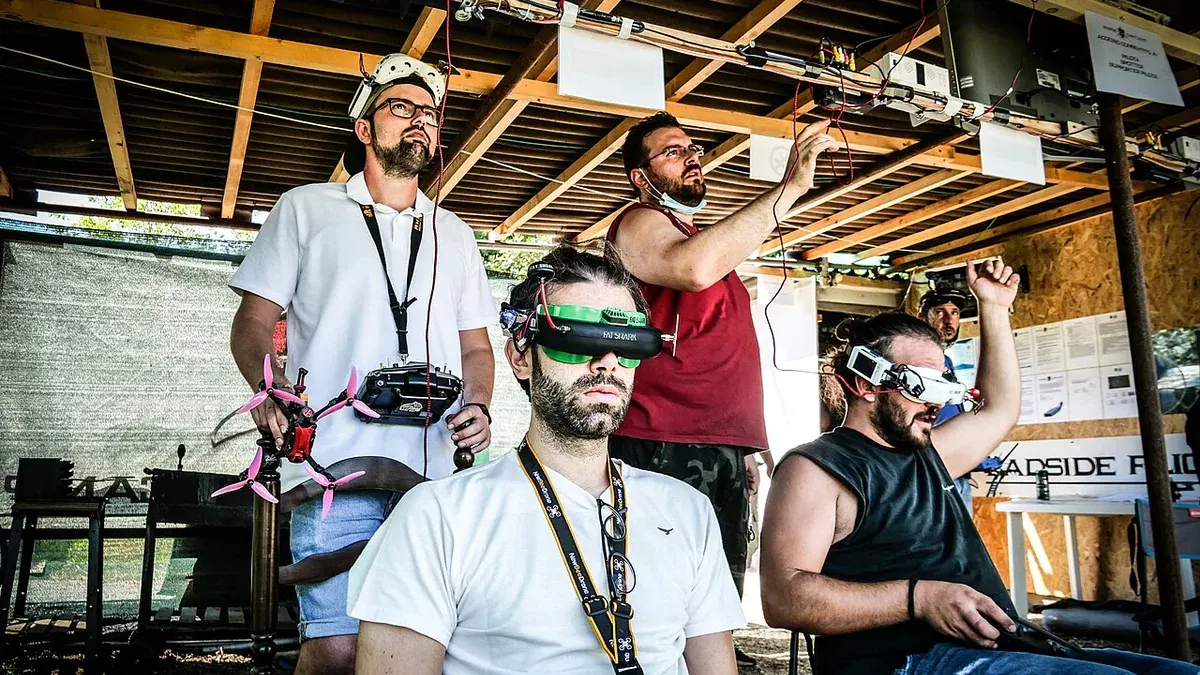
A commercial drone shoot can involve a client, site manager, pilot, camera operator, security team, people on camera and an editor. Each person may hold a different version of the plan. A call sheet gives them one short document with the address, time, contacts, shot priorities and decisions for the day. It helps the team arrive prepared and makes a change in weather or access easier to handle.
This guide explains what to put in a call sheet for a drone shoot in India. It is a practical production document, not an aviation approval or a replacement for the pilot's operating plan. Keep it concise enough to read on a phone. Put sensitive details in the controlled crew copy and send a simpler version to people who only need arrival instructions.
Put the project and version at the top
Start with the project name, shoot date, call-sheet version, person who prepared it and time it was last updated. If the job has more than one location, give each location a short code. A crew member should be able to see immediately whether they have the right day's plan.
Use a clear version such as V3, issued 18:00 the evening before the shoot. If the weather window moves or a gate changes, issue a new version to everyone affected. Do not edit a shared file quietly after people have downloaded it. A one-line “changed from V2” note can prevent someone using old parking or access instructions.
State the purpose in a sentence. For example: “Capture external stills and a short film of the completed warehouse for an investor update.” This sentence helps the crew decide which images matter if the day becomes shorter than planned.
Give the exact arrival route
Write the site name, full address, map pin and entrance to use. A large campus can have several gates, and the public map pin may point to the wrong one. Add parking or loading notes, security check-in, required identification and the name of the person who will meet the crew. Include any site induction time.
Mark the proposed take-off and recovery area, but label it as subject to the pilot's on-site assessment. Do not direct the crew to launch from a roof or road simply because that spot looks convenient on a map. If the site contact knows that an area will be occupied by vehicles or workers, put that in the note.
For two locations, give travel time and a realistic buffer. A plan that allows ten minutes to clear a factory gate, cross a city and complete a new induction will fail before filming begins. The same applies to people who must arrive with access keys, props or a vehicle to be filmed.
List contacts by decision, not just title
Give a phone number and role for the producer or client lead, pilot, site representative, security desk and any person controlling traffic or a work area. Mark who can approve a shot change and who can stop work for site safety. If a client reviewer is remote, say when and how they will review images.
Avoid a long list of names with no duties. The crew needs to know whom to call if the gate is closed, the planned courtyard is busy or a logo appears in the background. Include emergency contact details appropriate to the site and the site's own response process. Keep personal numbers in the crew version, not a public copy.
Build a schedule with real dependencies
A useful schedule can include crew arrival, security check, safety brief, location walk, setup, first capture block, break, second block, client review and wrap. Leave time for batteries, movement between viewpoints and unexpected site activity. Put the light-sensitive shots in the right window, but do not assume the weather will hold exactly as forecast.
Next to each block, list what must already be ready. A brand film may need a cleaned yard, a vehicle in position, the agreed staff members and permission to film the logo. A construction update may need a crane pause or a clear access route. If one dependency is missing, the team can switch to another approved shot without losing the whole day.
Write a weather decision point: who checks the forecast, when the client receives an update, and what happens if the pilot cannot fly. A ground-camera alternative, reschedule window or reduced shot list can be agreed in advance. The call sheet records the process; it does not promise that any flight will happen regardless of conditions.
Rank the shots before the crew arrives
Divide the shot list into must-have, preferred and optional. For each shot, give the subject, purpose, location, approximate direction, output orientation and any special constraint. “Aerial of facility” is too vague. “Wide still from the south showing new warehouse and existing access road, with no adjacent factory in frame” is much easier to plan.
If the client needs vertical social media, note that on the shot list. A horizontal tracking shot may not crop well. If still photographs will appear in a brochure, ask for deliberate still frames rather than relying on video grabs. List any clean plates or extra space needed for captions and logos.
Keep the shot list short enough to finish under realistic conditions. If everything is marked must-have, nothing is prioritised. Ask the client to choose the two or three images that would make the shoot worthwhile. The pilot may still change or decline a shot based on safety and feasibility, but the crew will understand the business priority.
Put approvals and restrictions in plain words
State the status of site access, property approval, talent release, location restrictions and any special coordination the production needs. Do not write “all permissions sorted” unless the responsible person has checked each item. The pilot must separately assess current airspace and applicable operating requirements.
Add no-film areas: neighbouring homes, private windows, sensitive industrial equipment, security posts or parts of a construction site. Say whether staff or visitors may appear in the frame and who will review privacy before publication. If a prototype or confidential product is present, name who can approve or remove that shot.
List practical hazards the site already knows about, such as overhead lines, cranes, active vehicle routes, school movement or animals. The call sheet should point to the site briefing and pilot's safety plan, not replace them. Include the person who makes the final go or no-go flight decision.
Agree what happens before the crew leaves
Set a short on-site review point for the client or producer. They can confirm that the key subjects, logo and framing were captured, while there is still time to request an approved alternative. This is a check of coverage, not a promise that the final edit is complete on site.
Write down the media handoff: selected stills, video files, edit versions, raw footage if included, file format, expected delivery dates and recipient. Name the person who will consolidate edit feedback. Conflicting comments from several departments can delay a project and create avoidable revisions.
State where the files will be stored and who may use them. A private investor film, public advertisement and internal progress report may have different usage and review needs. Keep draft and approved versions separate so a rough file is not posted by mistake.
A compact call-sheet example
For a warehouse shoot, the top block might say: “Project: North Warehouse update; date: 19 October; version: V2 at 18:00; crew call: 06:30 at Gate B; site lead: facilities manager.” The schedule could then show 06:30 check-in, 06:45 safety brief, 07:00 layout stills, 07:45 vehicle-free yard views, 08:30 client coverage review and 09:00 wrap. Must-have shots might be the building overview, truck route context and roofline. A staff portrait could be optional if the approved participants are not ready.
The restrictions block might say that the neighbouring plant, staff car park and security room are outside the frame. The delivery block might call for six approved stills and one short edit for internal use, with a named reviewer. The real project would add exact contacts, current permissions and the pilot's site assessment. This small example shows the structure without turning it into a claim that a flight is pre-approved.
Use the shoot-day walkthrough for the on-site sequence and the pre-flight checklist for client preparation. The best call sheet lets everyone find the next person, place and decision quickly when the day changes.
FAQs
Who owns the call sheet?
The production or project lead should keep the current version and send changes. The pilot and site representative should confirm the parts that affect operations and access.
Should the call sheet list optional shots?
Yes. A clear optional list helps the team protect the essential brief when time, light or safe access changes.
Does a call sheet replace permissions?
No. It records responsibilities and status. The actual site, property, privacy and flight requirements must still be checked for the job.
Plan your project
Share your site, dates and intended output so we can confirm a suitable scope.
Explore drone services · Compare project scope · Get in touch
Related reading
- What to Expect on a Commercial Drone Shoot Day in India
- Commercial Drone Shoot Contract Checklist for India Clients
- Same-Day Drone Shoot in Bangalore: What Can Be Planned Quickly?
- Drone Asset Inventory Data Model: From Aerial Images to Actionable Records
- Drone Project Closeout and Handover Checklist for Indian Clients
- Drone Mapping for Solar Project Site Selection in India
Contact SkyViews Aerial Drone Studio at +91 90190 56479 or skyviewsdronestudio@gmail.com. Service area: Bangalore, Karnataka and India and wider Bangalore, Karnataka and India.