Convention Centre and Event Venue Drone Photography in Bangalore
How convention centres, exhibition grounds and large venues can plan aerial content for architecture, access, events, launches and marketing.
By SkyViews Aerial Drone Studio
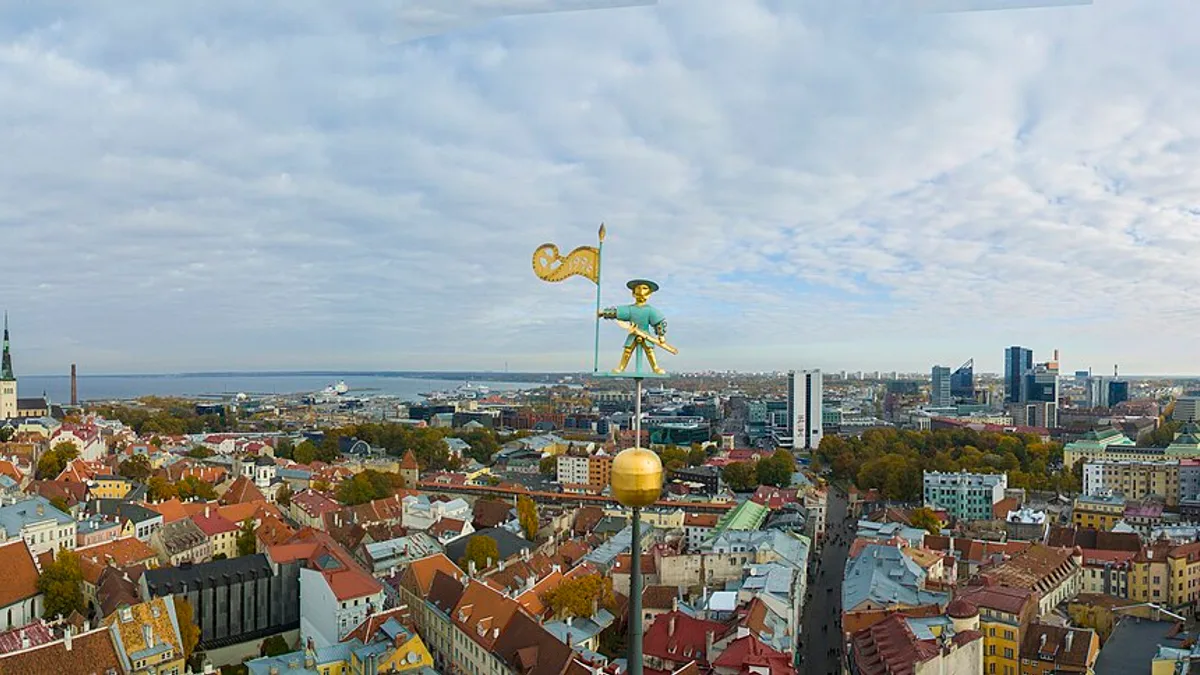
A convention centre has two stories to tell. One is the place itself: the building, entrances, loading areas, parking and outdoor space. The other is what happens there: an exhibition, conference, launch or public gathering. Aerial photography can help explain scale and arrival, but the plan for an empty venue is very different from the plan for a live event with visitors and exhibitors.
This guide is for venue owners, event organisers and agencies planning aerial content in Bangalore. It covers the brief, operating window, shot list, approvals and delivery. The venue and pilot must decide whether the proposed flight is suitable under the actual site and event conditions. A marketing request does not override crowd safety, privacy or venue restrictions.
Venue Narrative & Empty-Facility Staging
Decide which story the images must tell
Start with the intended viewer. A prospective organiser may want to see the approach, entrance, halls and outdoor options. A delegate may need simple wayfinding. A sponsor may want to understand placement and event reach. A venue owner may need a record of a new facade or expansion. A single montage is unlikely to answer all of these questions clearly.
Write the main purpose in one sentence. For example: “Help first-time organisers understand the venue layout and arrival experience.” Then list the supporting shots. Aerial views can show how buildings, roads and open spaces relate. Ground footage may show hall interiors, registration areas and human-scale details better. Combine the two when the story needs both.
Separate permanent features from temporary event setups. A marquee, stage or sponsor sign may belong to one event. Do not show it as a permanent venue feature in evergreen marketing. Keep a clean architecture set and an event-specific set so future campaigns can use the right material.
Build an empty-venue plan first
An empty or controlled venue window is often the easiest time to photograph architecture. It can show the building without delivery trucks, temporary barriers or guest queues. Plan views of the arrival road, entrance, building form, outdoor zones and parking context. Capture both wide establishing images and closer, readable views.
Ask the venue team which route a first-time visitor actually uses. A dramatic view from the back may be attractive but less useful than the main approach. If several halls or gates exist, label them in the image index. A prospective organiser should be able to tell which entrance leads to which part of the property.
Do not make capacity claims from the image. A wide parking photograph can show location and layout, but the number of spaces must come from the venue's verified information. Travel-time, access and event-capacity claims also need review by the venue owner before they appear in captions.
Treat a live event as a separate operation
A live exhibition changes the site hour by hour. Visitors arrive, vehicles unload, security lines form and temporary structures appear. The event organiser, venue operations team and drone crew should review the timetable and identify possible capture windows. A pre-opening period may offer a clear view of the setup. A live event shot needs a specific reason and a careful plan around people and access.
The crew needs a named event contact who knows the site. Confirm where the pilot can set up, what areas are restricted, whether exhibitors have no-film terms, and who can stop the activity if conditions change. The pilot should reassess the site at the time of the proposed flight. If a crowd or vehicle movement makes a shot unsuitable, remove it from the plan rather than improvising over the activity.
Consider whether a ground camera can tell part of the story more safely. Crowd energy, booth details and speaker moments often work better from approved ground positions. The drone can be reserved for views that genuinely need height, such as the outside arrival scene or the relationship between event zones.
Operational Safety & Schedule Choreography
Plan the shot list around use
For venue sales, capture an establishing image, main arrival, exterior architecture, outdoor areas and a few clear access views. For an event recap, capture the venue before opening, approved event context and a closing view that helps the edit end naturally. For a sponsor package, identify exactly which placements may appear and who approves brand use.
Give every shot an intended output: website banner, brochure, presentation, short video or archive. This helps the camera operator leave space for text and avoid cropping the main subject in a vertical edit. A fast orbit may work in a film but may produce little usable space for a venue directory graphic. Take steady views as well as moving shots.
If the campaign needs both horizontal and vertical versions, say so before filming. A vertical crop can cut off a long building or an approach road. Plan alternative compositions. Keep clean footage without titles so the venue can update names or event dates later.
Protect visitors, exhibitors and site information
Review what is visible beyond the main building. Guests, children, badges, vehicle plates, security checkpoints and exhibitor material can all appear in a wide aerial frame. A high camera does not make those details irrelevant. Choose a view that serves the brief while limiting unnecessary capture.
Ask the organiser whether any booths, displays or sponsors have recording restrictions. Do not assume that a public-facing exhibition means every display is approved for marketing. The editing review should cover logos, signs, screens and captions as well as people. A public clip may need a different crop or shot from the internal event record.
Store originals with the access level agreed by the venue. A short approved social reel and the full unedited footage can have different audiences. Decide who may request revisions and who can approve a new public use months after the event.
Create a realistic event-day schedule
Work backward from the delivery deadline. If the organiser wants highlights on the same day, allow time for file transfer, selection, edit, fact check and approval. A promise to deliver at a fixed hour is fragile if capture is delayed by weather, access or event changes. Agree the minimum useful package and a fallback plan.
For example, the same-day package might be a small set of approved stills and a short silent clip, while a polished recap follows later. The crew can prioritise those essential shots first. The organiser should identify one person who can review the files promptly; a long approval chain can take more time than the edit.
Tell operations staff when and where filming is planned. Coordinate loading, entrances and temporary structures. A venue can look very different at setup, opening and peak arrival, so label each phase. Do not mix the phases in a way that misrepresents the visitor experience.
Post-Production Fact-Checking & Asset Delivery
Give editors facts they can trust
Provide a fact sheet with the correct venue name, hall names, gate labels, event title, date, sponsor names and approved claims. Mark features that are temporary. If the footage is used later, keep the capture date with it. This prevents a past event image from being presented as the venue's current layout after a renovation.
Review captions as carefully as pictures. An aerial view may appear to show a nearby road, transit stop or parking area, but a caption about access should be verified by the venue. A graphic arrow can make an approximate route look official. Use clear labels and approved maps when wayfinding is the purpose.
Deliver files that can be reused
The handover should separate venue architecture, event-specific images, approved public assets and source files included in the scope. Include a simple index with shot description, date, view and usage status. Name final versions by channel and size rather than calling several exports “final2”. Add thumbnails where they help the marketing team find the right view quickly.
State what rights, music and sponsor versions were agreed. Keep a clean master when possible so future event details can be changed without reusing outdated graphics. Test that video and image files open on the client's normal systems before closing the job.
A good venue package lets an organiser understand the property, lets attendees find their way and lets the owner show a real event without confusing temporary setup with permanent facilities. For related planning, see the event safety guide and venue guide.
Plan your project
Share your site, dates and intended output so we can confirm a suitable scope.
Wedding & Event Cinematography · Compare project scope · Get in touch
Related reading
- Wedding & Event Drone Shoot Planning in Bangalore: Venue Checklist
- Wedding Drone Photography & Aerial Video Guide Bangalore
- Wedding Venue Drone Content Planning in Bangalore: Client Guide
- Co-Working and Corporate Campus Drone Photography in Bangalore
- Archaeological Excavation Drone Mapping in India: Documentation Guide
- Forest Restoration Drone Monitoring in India: Ethical Mapping Guide
Contact SkyViews Aerial Drone Studio at +91 90190 56479 or skyviewsdronestudio@gmail.com. Service area: Bangalore, Karnataka and India and wider Bangalore, Karnataka and India.