Drone Media Archive, Backup & Delivery Workflow for Commercial
A practical workflow for naming, backing up, reviewing, delivering and retaining drone photos, video, raw media and mapping files.
By SkyViews Aerial Drone Studio
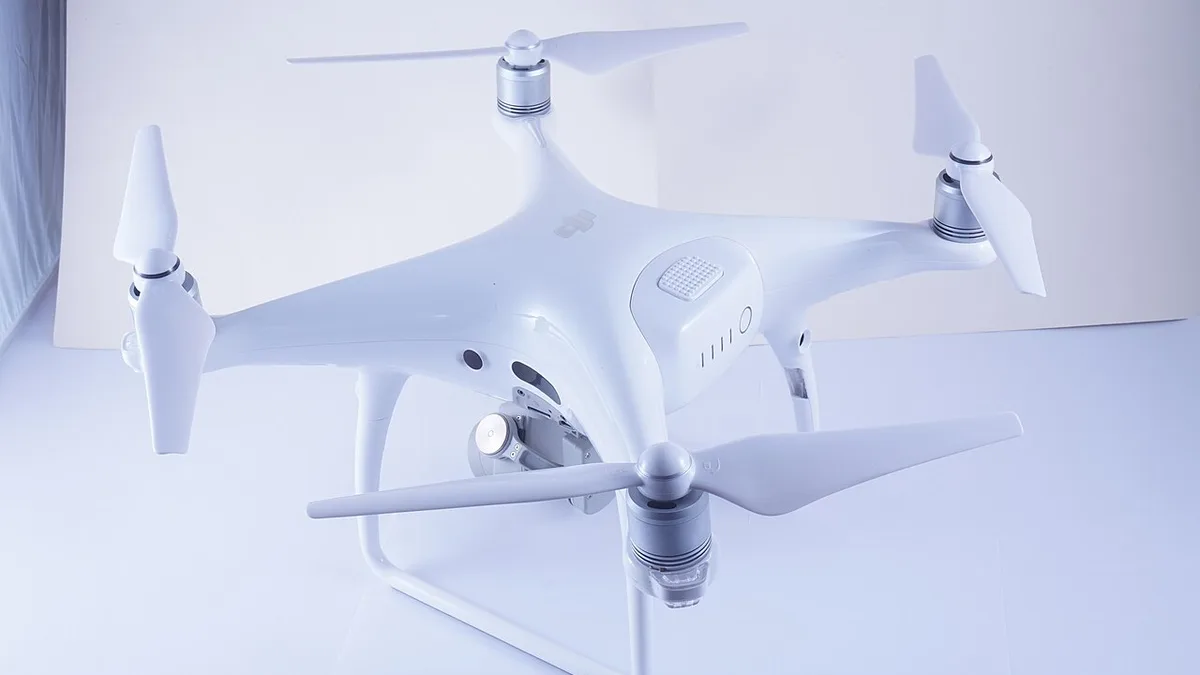
A drone project is not complete when the aircraft lands. Commercial value can be lost if original media is mixed with exports, files are poorly named, review versions overwrite each other or the client assumes a temporary download link is a permanent archive.
Separate the media layers
Keep original camera files, selected stills, edited masters, social exports, project files, maps, reports and client-approved versions in separate folders. This makes it easier to revise one output without confusing it with the source record.
Use consistent names
Include project, location or asset, date, camera or viewpoint, sequence and version where useful. For mapping and inspections, match filenames to asset IDs or map references. Avoid relying on a camera-generated number as the only identifier.
Back up before editing
Create at least one working copy and one protected backup before formatting cards or starting a large transfer. Confirm that files open correctly and that the backup includes the source media required by the agreed handover.
Review and approve clearly
Use version numbers and a named approval contact. Record whether feedback concerns colour, crop, factual caption, music, privacy or a new deliverable. Do not treat a review export as the final master without confirmation.
Agree retention and access
The quote should state delivery method, download window, archive period, source-file handover, access permissions and what happens after the retention period. Sensitive inspection or public-sector data may need stricter controls than a public marketing edit.
Start the file plan before the first flight
Write a short file list while the project is being scoped. A property film may need camera originals, edited stills, one landscape master and a vertical cut. An inspection may need source images, an asset index, annotated evidence and a report. A mapping job may need georeferenced rasters, point clouds, checkpoints and a method note. These are different archives. If the client needs editable project files or raw camera files, put them in the agreement instead of assuming they come with the final video.
Name one person on each side who can answer file questions. The producer should know who receives the transfer, who checks it and who has authority to approve deletion after the agreed period. Without those names, a download link can expire while everyone assumes someone else saved a copy.
Copy and verify before clearing cards
At the end of a shoot, copy camera media to a working location and a separate protected backup before reusing the cards. Check that the expected folder count and file sizes look right, then open a sample from the beginning, middle and end of each card. For important jobs, use a transfer tool that verifies file integrity. A copied folder name alone does not prove all media arrived intact.
Keep original filenames alongside any clearer working names until the ingest is checked. Camera sequence numbers may repeat when cards are reused. A project prefix, capture date and card ID can prevent two “DJI_0001” files from overwriting each other. Record any missing or corrupt files immediately while the crew still remembers the flight.
The US CISA data backup guidance describes the useful principle of multiple copies on different media with an offsite copy. A production team can adapt that principle to its size and the client's security requirements. Most important, test that a protected copy can be opened or restored; a backup that has never been checked is an assumption.
Keep the source, working and approved layers apart
Use a simple folder structure: originals, working files, review exports, final approved files and documentation. Do not edit in place over camera originals. A colour-graded master and a small social export may look similar in a thumbnail but have different uses. Put version and aspect ratio in the filename, such as project-date-film-v02-vertical. Avoid “final-final-new” naming that makes the approved file hard to identify.
For a technical job, include asset IDs, viewpoint or route segments in the index. A report image should point to the source file it came from. If a client asks for a clearer crop months later, the team can find the original without guessing. Keep control data and processing reports with mapping outputs, because a map without its coordinate and quality notes can be hard to trust.
Run review with one feedback record
Send a review version that is clearly marked as a draft. Ask the client to return comments with timecodes, image IDs or map references. Separate a correction to an agreed item from a request for a new deliverable. For example, fixing a wrong site name is a correction; adding a second advertisement format may be new work. A single named approver should combine feedback from marketing, legal, facilities or engineering.
Keep an approval record with the version number, date and approver. For public material, confirm captions, people, logos, music, location and any factual claims. For inspection or mapping, the technical reviewer should check the asset IDs, coverage and method. A producer should not treat silence on a draft transfer as formal acceptance unless the contract says how acceptance works.
Deliver in a way the client can actually use
Send a manifest listing each promised item, filename, format, dimensions or coordinate system where relevant, and purpose. Include a short read-me. The client should download and open a sample of every format on its own equipment before accepting the job. A browser preview of a video is not proof the full master downloaded, and a screenshot of a map is not proof the GIS file opens in the right location.
Set a transfer window long enough for review and say when the link will expire. If files are too large for a normal download, agree another secure delivery method in advance. For sensitive data, limit link access, use appropriate protection and avoid posting source files to an open gallery. Share only the public-approved exports with a marketing team that does not need confidential originals.
Decide how long each layer is kept
Retention need not be the same for every file. A client may keep final campaign films for years but ask a vendor to delete sensitive raw inspection imagery after handover. A construction team may need a longer dated archive to compare work. Write the period, storage owner, access list, deletion or return process and any applicable project obligations in the agreement. Do not promise “lifetime storage” without an actual funded archive plan.
Review third-party rights before reuse. Music, talent, stock footage and location permissions may have limits separate from ownership of the drone file. A raw camera original can also show bystanders or private areas that were removed from the approved edit. Giving someone the source does not automatically grant permission to publish every frame.
Example: a monthly construction record
Imagine a site receiving drone imagery each month. The producer labels every visit with the project, date and route segment. Originals are copied and checked before cards are cleared. The working folder contains a draft comparison film and a map of fixed viewpoints. The client reviews the draft, corrects one block label and approves version two. The final folder includes the approved film, dated stills, source-image index and a note about an area that could not be captured safely.
Months later, the project manager can find the same viewpoint from two visits and know which film was approved for stakeholder use. The archive has value because dates, names and limitations are traceable, not because it contains the largest possible number of files.
A practical closeout checklist
Before closing a job, confirm that every promised item appears in the manifest, sample files open, review comments are resolved, the approval version is named, usage rights are recorded, backups are verified and the retention clock is understood. Give the client the contact for a missing-file request. Schedule any deletion or transfer date in the production system so it does not depend on someone's memory.
Use the licensing guide and deliverables guide when writing the brief.
FAQs
Should raw drone files be kept forever?
Not automatically. Retention should match the agreement, business need, sensitivity, storage capability and any legal or project requirements.
Should project files be delivered with a finished film?
Only if included in the agreed scope. A finished export, source media and editable project are different deliverables.
Who should approve the final files?
Name one client-side approver who can confirm factual accuracy, branding, privacy, usage and final formats.
Plan your project
Share your site, dates and intended output so we can confirm a suitable scope.
Explore drone services · Compare project scope · Get in touch
Related reading
- Commercial Drone Data Security in India: Client Planning Guide
- Commercial Drone Shoot Call Sheet: What to Include Before Crew Arrival
- Drone Delivery Manifest: File IDs, Versions and Checksums
- Startup Brand Film with Drone Video in Bangalore: Brief and Production Guide
- Quarry and Mining Drone Survey for Stockpiles and Progress in India
- Port and Maritime Drone Inspection and Photography in India: Planning Guide
Contact SkyViews Aerial Drone Studio at +91 90190 56479 or skyviewsdronestudio@gmail.com. Service area: Bangalore, Karnataka and India and wider Bangalore, Karnataka and India.